Posts

Showing posts with the label XML

Retrieving values from XML with PowerShell
Image
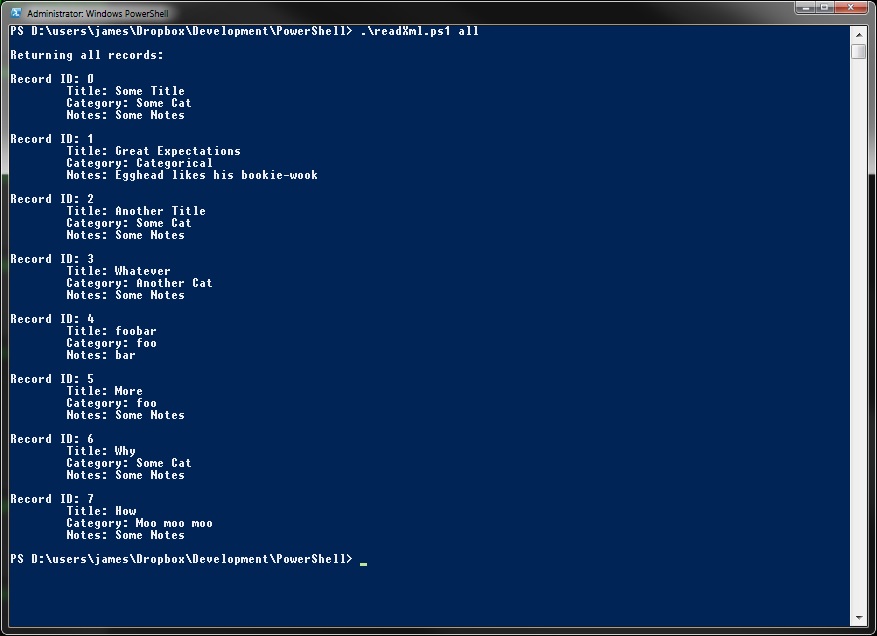
This PowerShell script looks up  and returns results from a mini-database that uses XML as its back-end. For the actual program that edits and returns results graphically, I used Java - this was an exercise in learning PowerShell's XML functions. As can be seen below, the in-built XML handling makes working with XML files very straightforward indeed. The structure of the XML file I'm using to test is: <?xml version="1.0" encoding="UTF-8"?> <recordList>     <record id="0">         <title>Some Title</title>         <category>Some Cat</category>         <notes>Some Notes</notes>     </record>     <record id="1">         <title>Great Expectations</title>         <category>Categorical</category> ...

Change the ComputerName value in Unattend.xml using PowerShell

A quick and dirty PowerShell script to update the value of ComputerName in Unattend.xml before imaging. This particular value is located at: <unattend>  <settings pass="generalize">   <component name="Microsoft-Windows-Shell-Setup" processorArchitecture="amd64" publicKeyToken="31bf3856ad364e35" language="neutral" versionScope="nonSxS" xmlns:wcm="http://schemas.microsoft.com/WMIConfig/2002/State" xmlns:xsi="http://www.w3.org/2001/XMLSchema-instance">     <computername> Which is a bit of a mouthful, but we can be lazy and just pull the value from the nth component node (in my case it's 3, or the 4th component node). PowerShell uses dots to describe the hierarchical path, which looks a lot neater than the above: $xml.unattend.settings.component[3].computername To repeat, the value of .component[n] will change depending on the structure of the file. The value of the...