Posts

Showing posts with the label PowerShell

Retrieving values from XML with PowerShell
Image
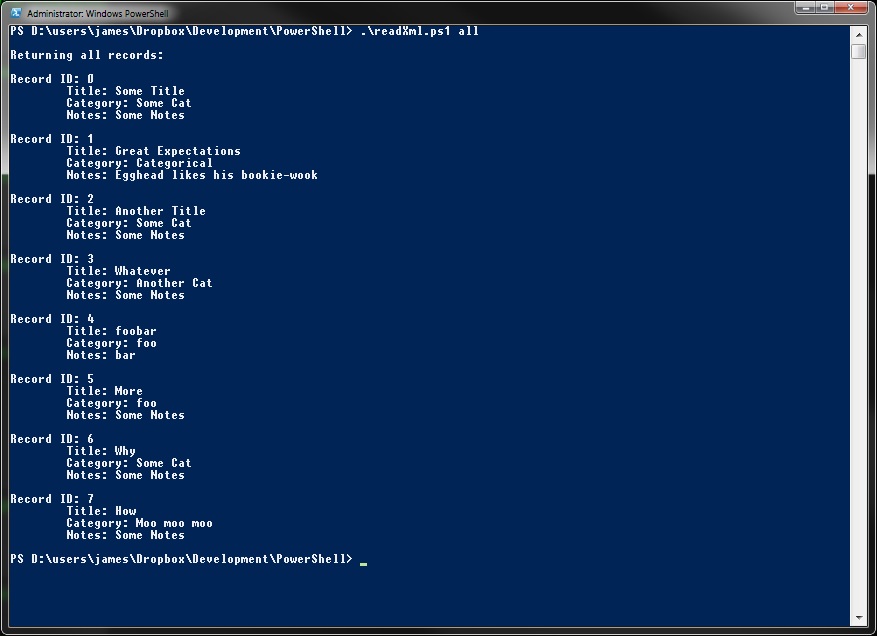
This PowerShell script looks up  and returns results from a mini-database that uses XML as its back-end. For the actual program that edits and returns results graphically, I used Java - this was an exercise in learning PowerShell's XML functions. As can be seen below, the in-built XML handling makes working with XML files very straightforward indeed. The structure of the XML file I'm using to test is: <?xml version="1.0" encoding="UTF-8"?> <recordList>     <record id="0">         <title>Some Title</title>         <category>Some Cat</category>         <notes>Some Notes</notes>     </record>     <record id="1">         <title>Great Expectations</title>         <category>Categorical</category> ...
Change the ComputerName value in Unattend.xml using PowerShell

A quick and dirty PowerShell script to update the value of ComputerName in Unattend.xml before imaging. This particular value is located at: <unattend>  <settings pass="generalize">   <component name="Microsoft-Windows-Shell-Setup" processorArchitecture="amd64" publicKeyToken="31bf3856ad364e35" language="neutral" versionScope="nonSxS" xmlns:wcm="http://schemas.microsoft.com/WMIConfig/2002/State" xmlns:xsi="http://www.w3.org/2001/XMLSchema-instance">     <computername> Which is a bit of a mouthful, but we can be lazy and just pull the value from the nth component node (in my case it's 3, or the 4th component node). PowerShell uses dots to describe the hierarchical path, which looks a lot neater than the above: $xml.unattend.settings.component[3].computername To repeat, the value of .component[n] will change depending on the structure of the file. The value of the...

Bulk File Extension Renamer - PowerShell

Image
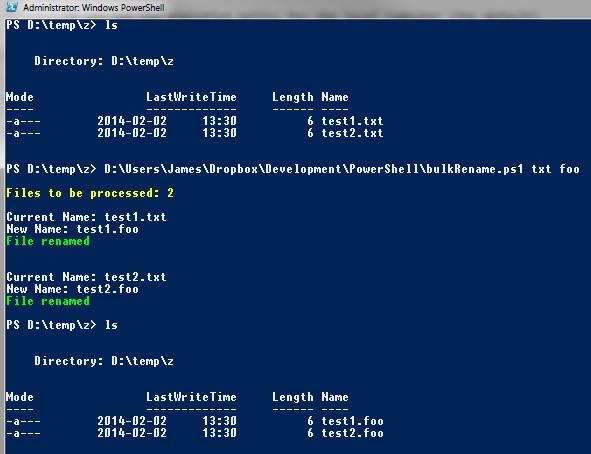
Here's a quick PowerShell script to change the extension on a group of matching files, posted chiefly to illustrate how much more concise PowerShell can be when compared to VBScript (I'll post an equivalent script shortly). The script below is still about twice the length of the a similar script I wrote in bash for *nix but it's certainly an improvement in both length and readability over VBS. First up, grab the required parameters (old extension, new extension) from the command line. If either or both are missing, the user will be prompted to enter them. Each parameter is set with three options - [parameter(Mandatory = $true)] makes the parameter mandator. ValidateNotNullorEmpty is called to do exactly what it says on the tin.   [string]$oldExt puts the value of the parameter into a string called $oldExt . 1: param( 2: [parameter(Mandatory = $true)] 3: [ValidateNotNullOrEmpty()] 4: [string]$oldExt, 5: [parameter(Mandatory = $tru...